
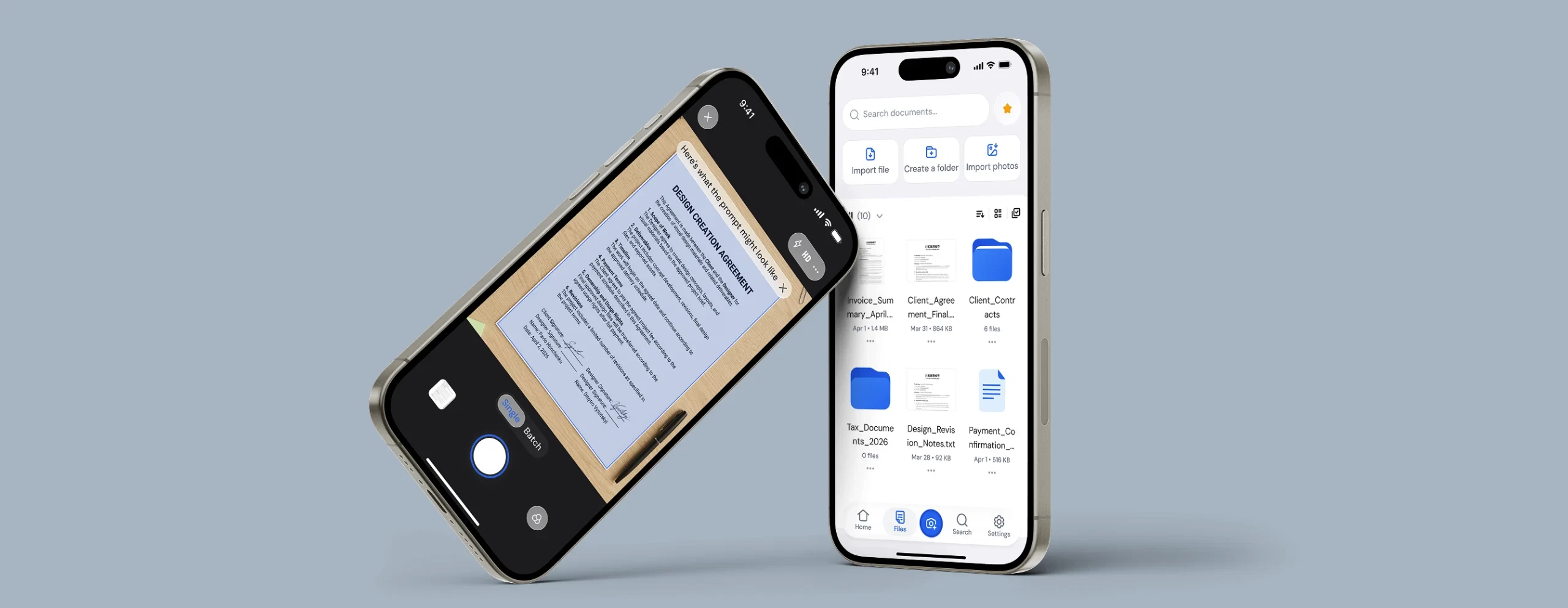
UI/UX design & Flutter development of an iOS document scanner app
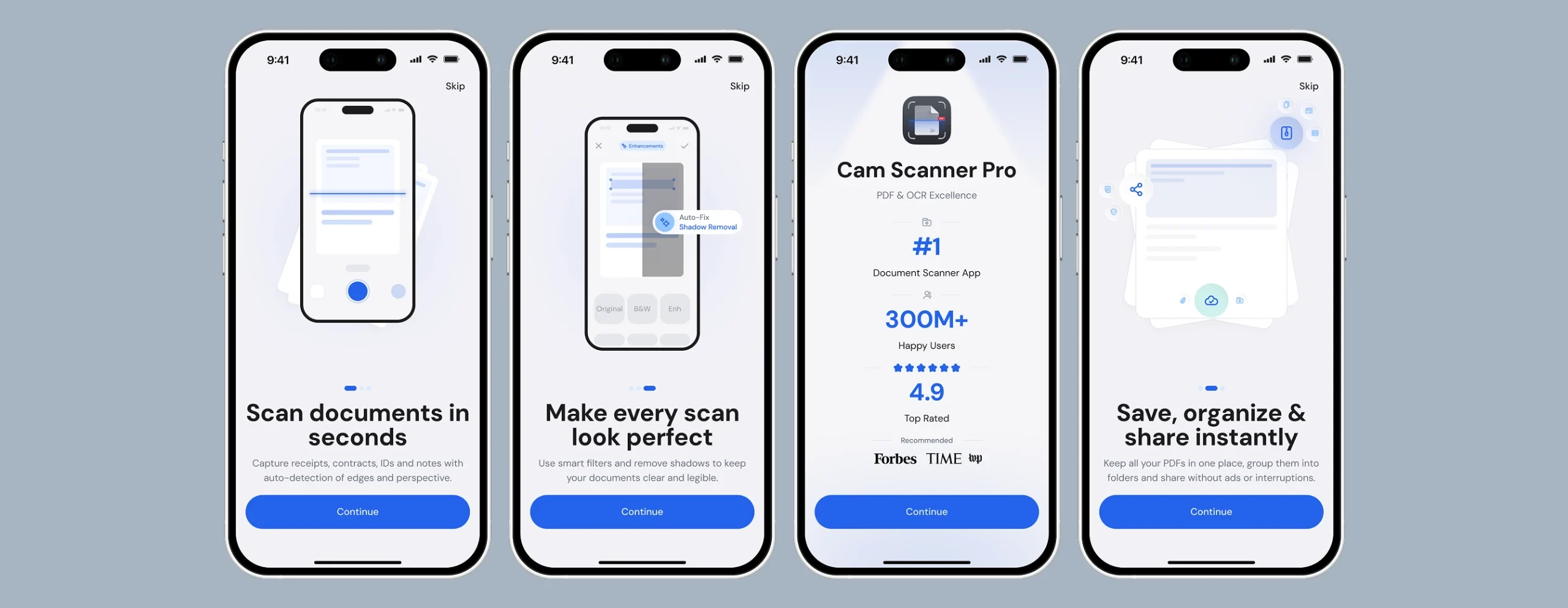
Selling the value before asking for money
Instead of dropping users straight into the app, onboarding does the selling first: what the app does, what makes a scan look "perfect," and proof that it's a trusted, top-rated tool — before a single screen asks for anything. By the time the paywall appears, the user already understands what they'd be paying for.
About Cam Scanner Pro
Cam Scanner Pro is an iOS app that turns a phone into a fast, reliable document scanner — built for people who need to capture, clean up and organise paperwork on the go, with a subscription model built into the core experience.
Challenge
The client came to GRND with the goal of launching an iOS document scanner that would be simple enough for everyday use while supporting a subscription-based business model — communicating value fast, simplifying scanning and document management, and making the paywall feel like part of the product rather than a sales interruption.
What GRND delivered
One team covered the full path from product structure to release: competitor and App Store research, UX flows and wireframes, the full UI system for onboarding, scanning, document management and the paywall, and the Flutter development that shipped it — including subscription logic, sign-in, cloud sync and iOS release preparation.
Tech stack
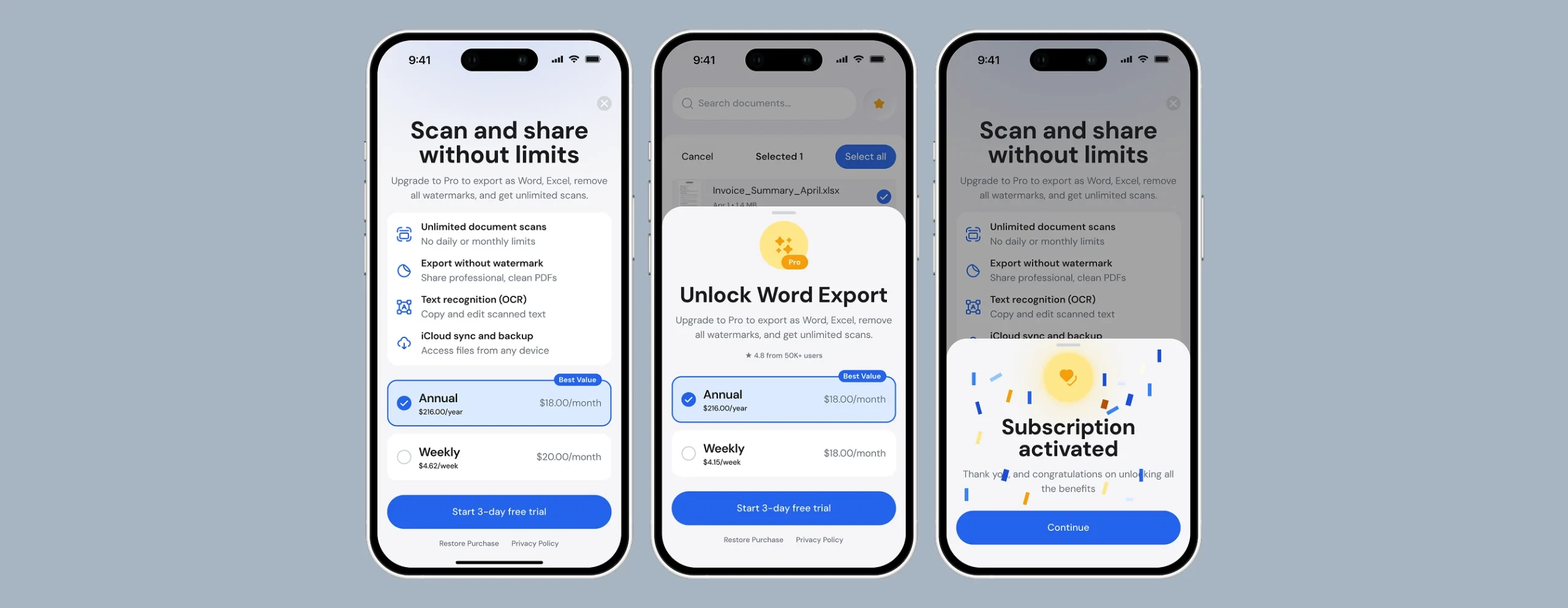
A paywall that behaves like part of the product
Rather than one hard paywall screen, the offer resurfaces naturally — when picking a file to export, when trying an OCR or watermark-free action. Every version leads with the same benefits (unlimited scans, no watermark, OCR, cloud sync) and the same annual plan as the "best value" default, so the message stays consistent no matter where a user meets it. A short free trial keeps the entry point low-friction, and a clear post-purchase confirmation screen closes the loop.
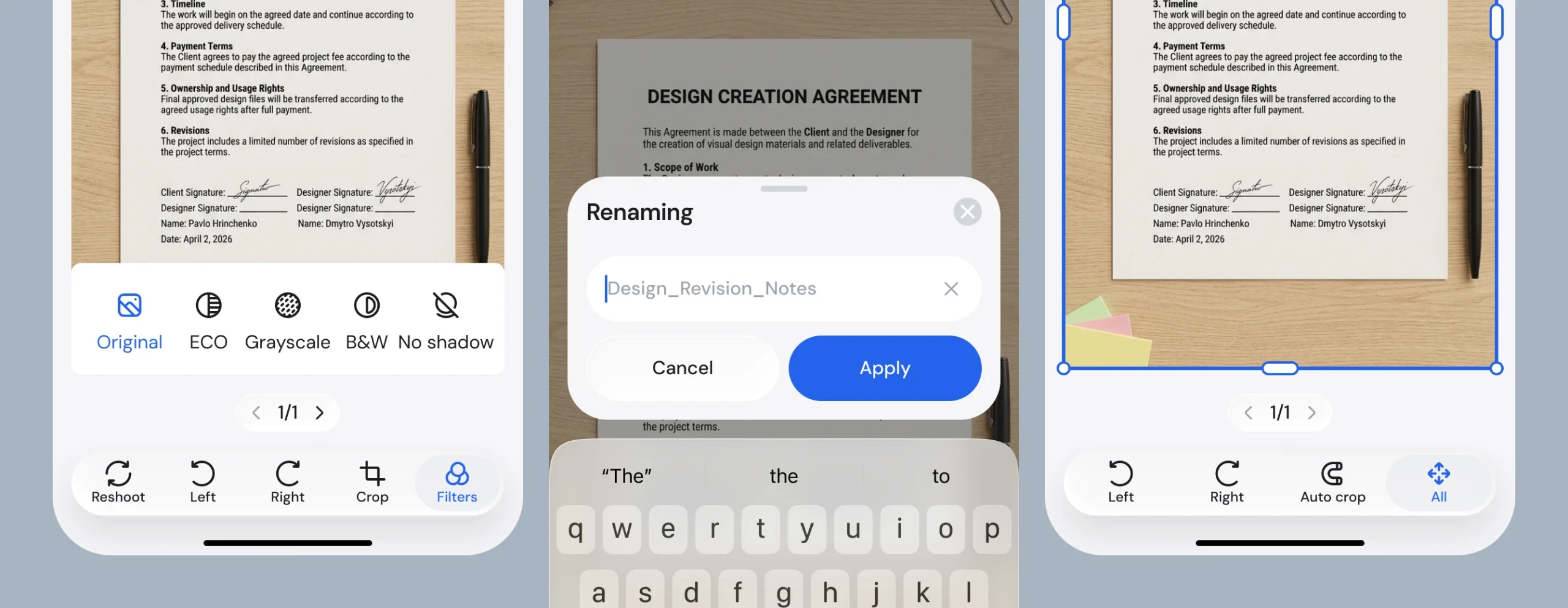
Built for daily use, not just the first scan test
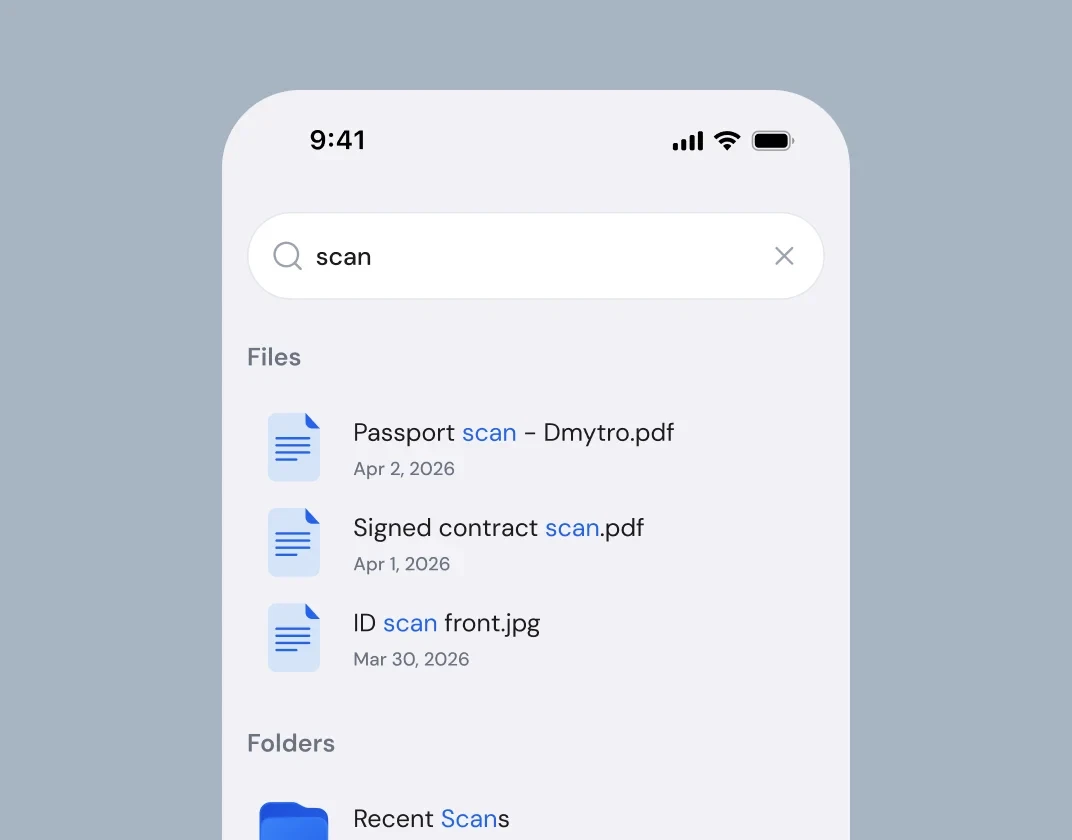
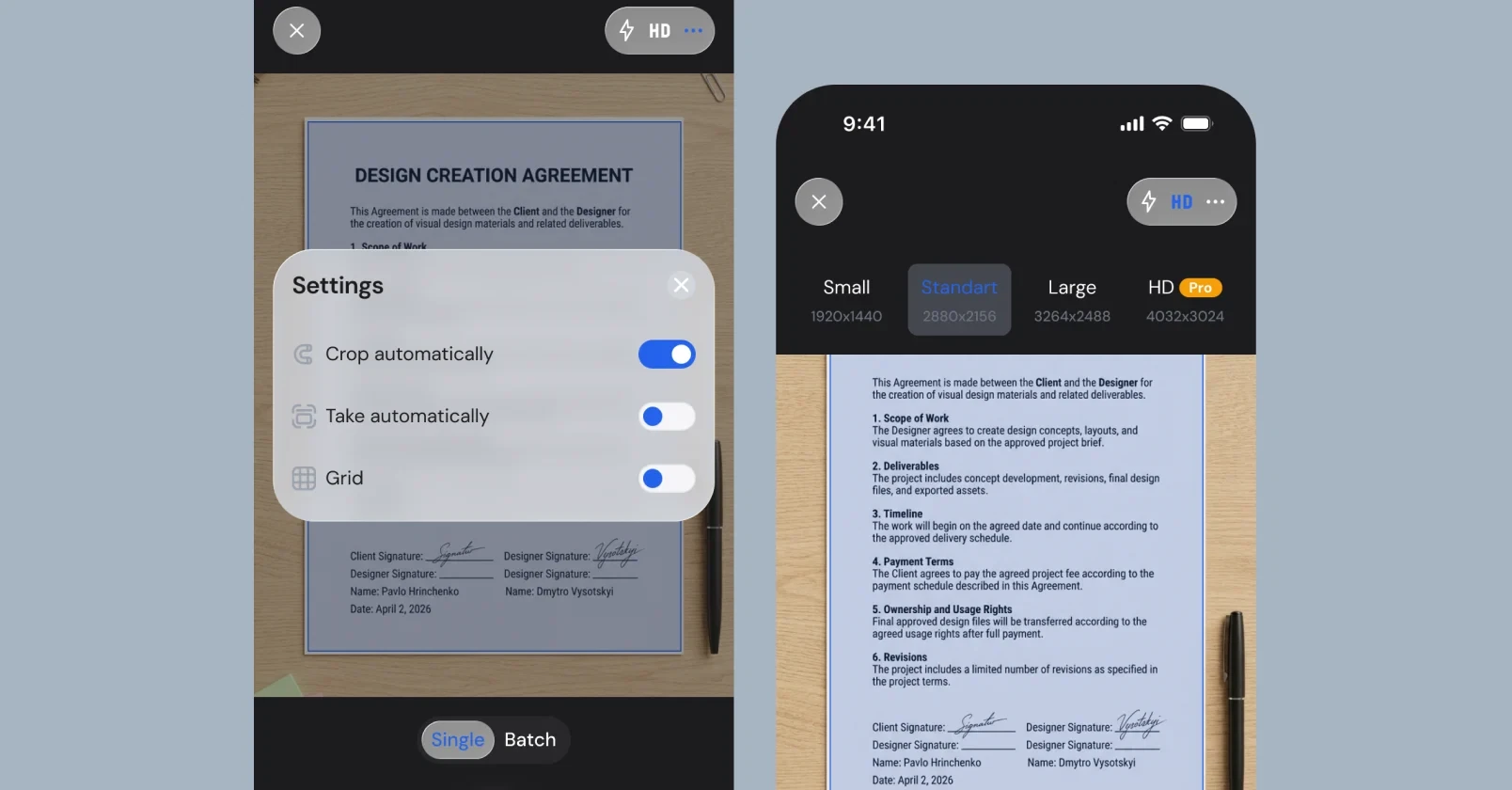
Beyond the paywall, the core workflow had to hold up for repeat use: single and batch scanning, smart filters (ECO, greyscale, B&W, shadow removal), crop and rotate, HD export sizes, folders and full-text OCR search across saved documents — the parts of the app that turn a first download into a habit.
Our work process
Discovery
Aligned with the client on the core constraint: this had to work as a subscription product from day one, not a free tool with an upsell bolted on. Onboarding and the paywall were flagged as the two screens the whole business model depends on — so they got the most design attention.
Research
Audited top-performing document scanner apps on the App Store to see how the strongest competitors structure onboarding, trial offers and paywall placement — and where they lose users.
Wireframing
Mapped the full journey from first launch to first successful export: onboarding → sign-in → first scan → paywall touch-points → library. Low-fidelity flows were reviewed and approved before any visual design started.
UI design
Designed the complete screen set — onboarding, scan and edit tools, file library, search, and every paywall variant — iterating with the client until the flow and the offer messaging were both approved.
Development & release
Built the app in Flutter, implemented subscription and paywall logic, wired up sign-in and cloud sync, and prepared the App Store Connect listing for submission and release.
One team, start to finish
GRND took Cam Scanner Pro from a competitor audit to a shipped, revenue-generating iOS app — owning UX, UI and Flutter development as one team rather than handing the product between separate design and dev vendors. The onboarding and paywall, the two screens the business model depends on, were treated as core product design work, not an afterthought bolted on before launch.
You may also like
Let's begin
Fill out the form — we’ll get back to you within 24 hours.
Get a tailored proposal made specifically for your project.
Start your project with our team of experts.